
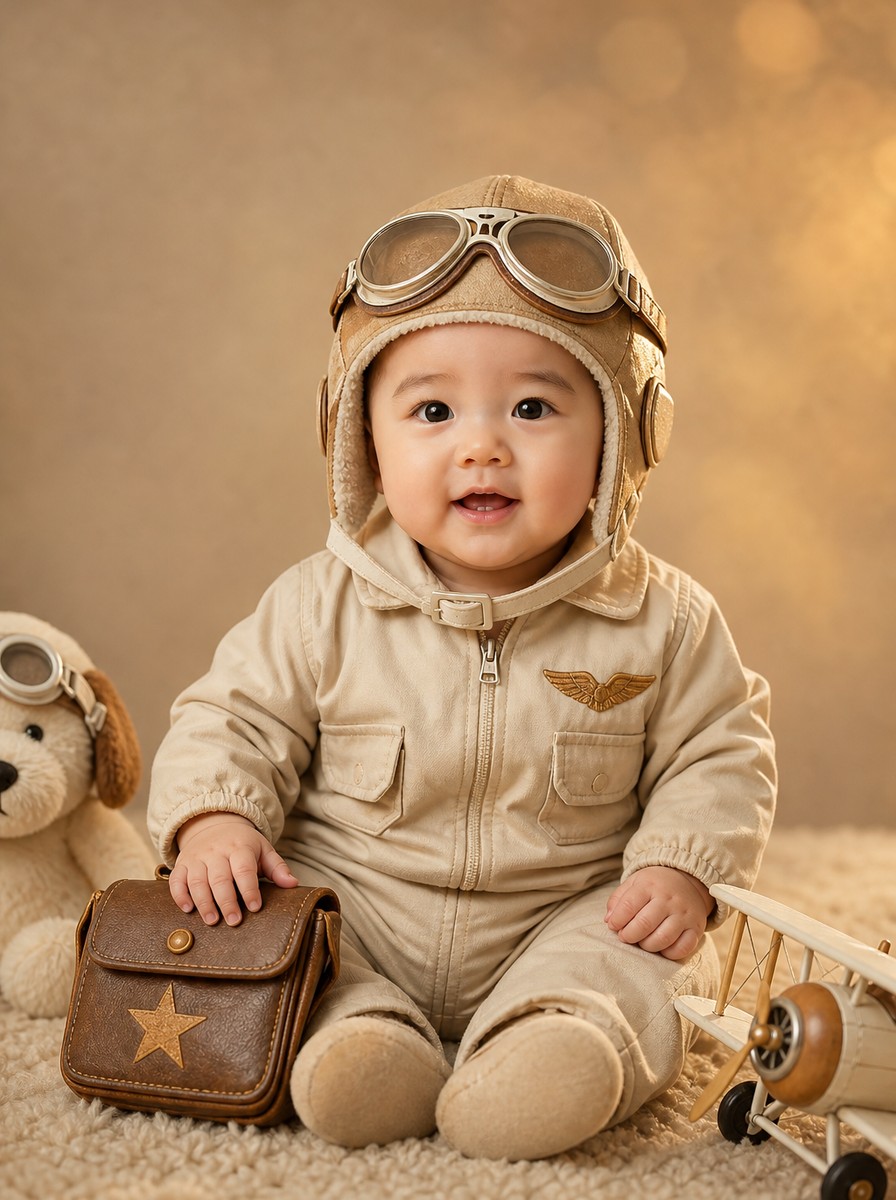
베이지 항공우편 파일럿 돌
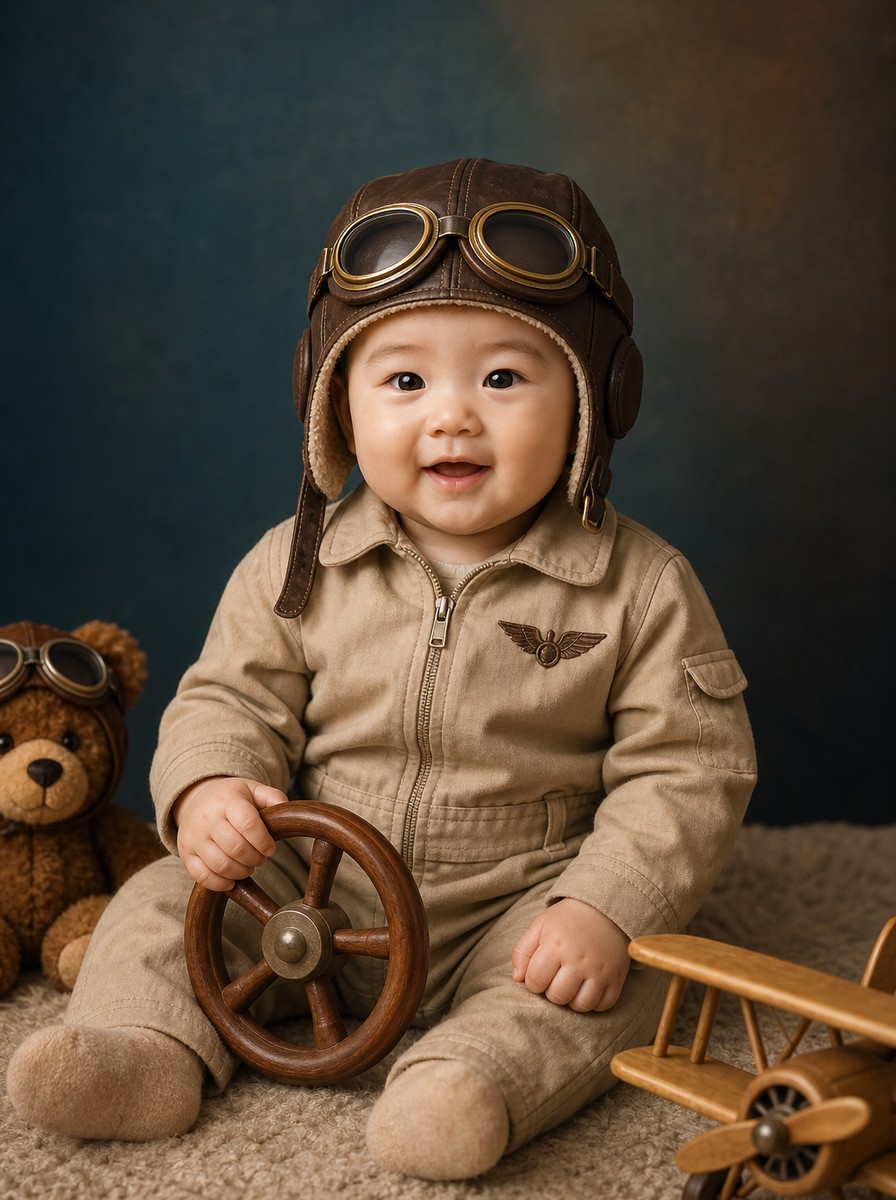
베이지 항공우편 파일럿 돌 컨셉으로 돌 사진을 스튜디오 분위기로 만드세요. 돌사진 스튜디오 느낌의 조명·배경·소품을 자동 생성하고 첨부한 아기 얼굴은 그대로 보존합니다.
프롬프트
[Purpose]
Convert the user's attached baby photo into a Korean 돌사진 (1st birthday) studio portrait — Beige Aviator concept with vintage leather hat, puppy plush companion, and warm golden hour mood.

[Scene]
Use the attached photo as the base. Preserve the original baby's face, expression, body shape, gaze, pose, and composition.

POSE & FRAMING: Baby (around 1 year old) sits upright on a soft floor, body facing camera, one hand resting on a small wooden toy. Plush companion beside (partial out of frame). Small biplane model + steering toy at edges. 3:4 portrait composition. Soft directional studio light, vintage golden hour atmosphere. Korean Asian baby 10-12 months old (돌사진), chubby toddler-like cheeks, fine wispy baby hair (hidden by aviator hat). AWAKE and looking DIRECTLY at the camera, both eyes clearly OPEN, alert friendly expression with a soft smile (mouth slightly open, possibly showing 1-2 baby teeth).

OUTFIT: SOFT BEIGE/CREAM cotton aviator jumpsuit with a small chest patch (subtle wing embroidery in warm bronze, NO text, NO logos).

HEADWEAR (CRITICAL — hair fully covered, FITTED proportion): BEIGE/TAN LEATHER AVIATOR HAT with side ear flaps and a soft cream chin strap. Small CREAM/BRONZE GOGGLES on the forehead ABOVE the eyebrows (NOT covering the eyes). The hat FITS the baby's head naturally (NOT oversized, NOT puffy, NOT cartoon big-head). FULLY COVERS the baby's hair. Sharp clean oval boundary around the face. Hat tucks behind the ears.

PLUSH COMPANION (PARTIALLY OUT OF FRAME): a CREAM/WHITE PUPPY PLUSH at the LEFT edge — only the head and shoulders visible (about 30%). Small cream goggles on the puppy's forehead too (matching baby's). SMALLER than the baby in visual weight.

SMALL PROPS at the frame edges:
- A small WHITE BIPLANE MODEL (light wood + cream paint) at the lower-right edge
- A small VINTAGE LEATHER MAILBAG with a stamped warm bronze star (no text) beside the baby

BACKGROUND: warm BEIGE to SOFT CAMEL gradient with soft warm bokeh (vintage golden hour feel).

BABY PROMINENCE: Baby is PRIMARY SUBJECT. Baby's body occupies 60-75% of canvas height. Face occupies at least 20-25%. Camera ZOOMED IN. Plush appears smaller, partial out of frame.

[Style]
High-end Korean baby studio aesthetic for "돌사진 1st birthday", vintage aviator golden hour mood. Soft directional studio light, vintage atmospheric tone, photographic realism, magazine-quality.

PALETTE: beige, cream, soft camel, warm bronze accents, soft golden glow.

[Text]
NO text anywhere — NO English, NO Hangul, NO numbers, NO watermarks, NO brand logos. Mailbag star is stamped (no text).

[Aspect]
3:4 portrait (896×1200 final, center-cropped from 1024×1536). Top 72 and bottom 72 pixels removed. Aviator hat (including goggles on forehead) within rows 80-1456.

[🚫 IMPORTANT]
- Preserve original baby's face from the attached photo
- Do NOT generate a new person — Korean Asian baby (NOT Western)
- Natural baby face and fingers, no anatomical distortion
- Aviator hat FITTED proportion, NOT oversized/puffy/big-head
- Hat FULLY covers hair
- Goggles rest on forehead ABOVE eyebrows, NOT over eyes
- Plush companion SMALLER than baby (partial out of frame)
- Avoid excessive saturation/HDR
버튼을 누르면 프롬프트가 자동 입력된 ChatGPT 가 열려요.
이 컨셉 소개
베이지 항공우편 파일럿 돌 컨셉은 돌사진을 캐릭터 코스튬 분위기로 연출하는 디자인입니다. 사용자가 첨부한 아기 얼굴은 그대로 보존되고, 베이지 톤의 항공우편 파일럿 자켓과 모자, 자연광 톤의 우드 돌사진 배경이 자동으로 합성됩니다. 200일부터 돌까지의 시기에 가족 앨범에 한 장씩 남기고 싶은 아기 부모님에게 어울리며, 사진관 돌사진 촬영을 따로 예약하지 않아도 비슷한 분위기의 사진을 집에서 만들어 양가에 공유할 수 있습니다.
비슷한 사진

자주 묻는 질문
얼굴이 살짝 다르게 나와요▾
ChatGPT의 얼굴 보존은 약점입니다. 같은 프롬프트로 재시도하거나 더 또렷한 정면 사진으로 바꿔보세요. Gemini 2.5 Flash Image (Nano Banana)가 얼굴 보존이 더 안정적인 편입니다.
어떤 사진을 첨부해야 잘 나오나요?▾
얼굴이 또렷한 정면 사진이 가장 안정적입니다. 정면 사진 한 장만 있으면 됩니다.
아기 의상이나 배경도 바꿀 수 있나요?▾
베이지 항공우편 파일럿 돌 컨셉은 의상·배경·소품이 컨셉별로 고정되어 있어 자동으로 합성됩니다. 첨부한 사진에서는 아기 얼굴만 추출되고, 의상이나 배경의 세부 색은 컨셉 디자인 그대로 적용됩니다.
인쇄해서 카드나 액자로 쓸 수 있나요?▾
결과 이미지는 A4와 5×7, 8×10 인치 액자 인쇄에 적합한 해상도입니다. 카톡 공유는 1:1 비율을 추가하면 더 안정적이고, 인쇄용 액자는 그대로 사용할 수 있습니다.
카톡이나 인스타로 공유할 수 있나요?▾
결과 이미지는 카톡 공유와 인스타 업로드에 바로 사용할 수 있습니다. 1:1 정사각형 비율이 필요하면 프롬프트 끝에 "1:1 ratio"를 추가해서 다시 요청해보세요.
✨ 이 사진을 우리 아이로 · 얼굴만 바뀝니다