
유치원 증명사진
추천 AI
우리 아기 맞춤 만들기
프롬프트가 자동 입력됩니다. 본인 아기 사진을 첨부해서 전송하세요.
프롬프트
[Purpose] Convert the user's attached child photo into a professional Korean kindergarten/preschool ID portrait photo. Studio-quality, clean and warm. [Scene] Use the attached photo as the base. Preserve the original child's face completely — face shape, eye shape, gaze direction, eyebrows, nose, mouth, skin tone, hair style, and overall identity must remain IDENTICAL to the source photo. Only regenerate the framing, outfit, background, and lighting. - Reframe to chest-up composition with the head fully visible, ~10% empty headroom above the hair, shoulders visible at the bottom edge. - Replace the outfit with {outfit_description}. - Replace the background entirely with {background_description}, a smooth solid color backdrop with a soft subtle vignette (slightly darker toward the corners, classic studio look). - Apply {smile_detail}. - Camera: straight-on frontal angle, eye-level, classic Korean kindergarten ID photo composition. [Style] Studio portrait lighting — soft key light slightly from camera left, gentle fill on the right, no harsh shadows. Skin natural and lovely without over-retouching. Hair detail preserved sharp. Subtle catch-lights in the eyes for liveliness. Clean, professional, and warm — not cold corporate. [Text] No text on the image. Pure portrait only. [Aspect] 3:4 vertical portrait (1024x1366), standard Korean ID photo ratio. [🚫 IMPORTANT] - Preserve the original child's face, eye shape, eyebrows, nose, mouth, skin tone, and overall identity exactly — do NOT alter facial features - Do NOT generate a new person - Do NOT change the child's age, gender, or hair length/style - Outfit must be {outfit_description} only — no other clothing, no costumes, no accessories beyond what's described - Background must be the specified solid color with vignette only — NO patterns, NO multi-color gradients, NO objects, NO text - Framing is chest-up only — no full body, no waist-down, no cropped head - Lighting must be flattering studio lighting — no harsh dramatic shadows, no over-exposed highlights - No watermarks, no logos, no text anywhere - No props (toys, books, flowers) — just the child portrait
자주 묻는 질문
- Q. 어떤 사진을 첨부해야 하나요?
- A. 아이가 정면을 보고 얼굴이 또렷이 나온 사진이면 됩니다. 일상 셀카나 집에서 찍은 스냅 사진도 좋아요. 옆모습이거나 얼굴이 가려진 사진은 결과가 어색해질 수 있습니다.
- Q. 얼굴이 원본과 달라 보여요
- A. AI 이미지 모델이 가끔 얼굴을 미세하게 바꿉니다. 결과를 받은 뒤 '얼굴은 원본과 똑같이 유지하고 옷이랑 배경만 다시 만들어주세요' 라고 후속 지시를 보내면 다시 그려줍니다.
- Q. 여러 배경색으로 한 번에 보고 싶어요
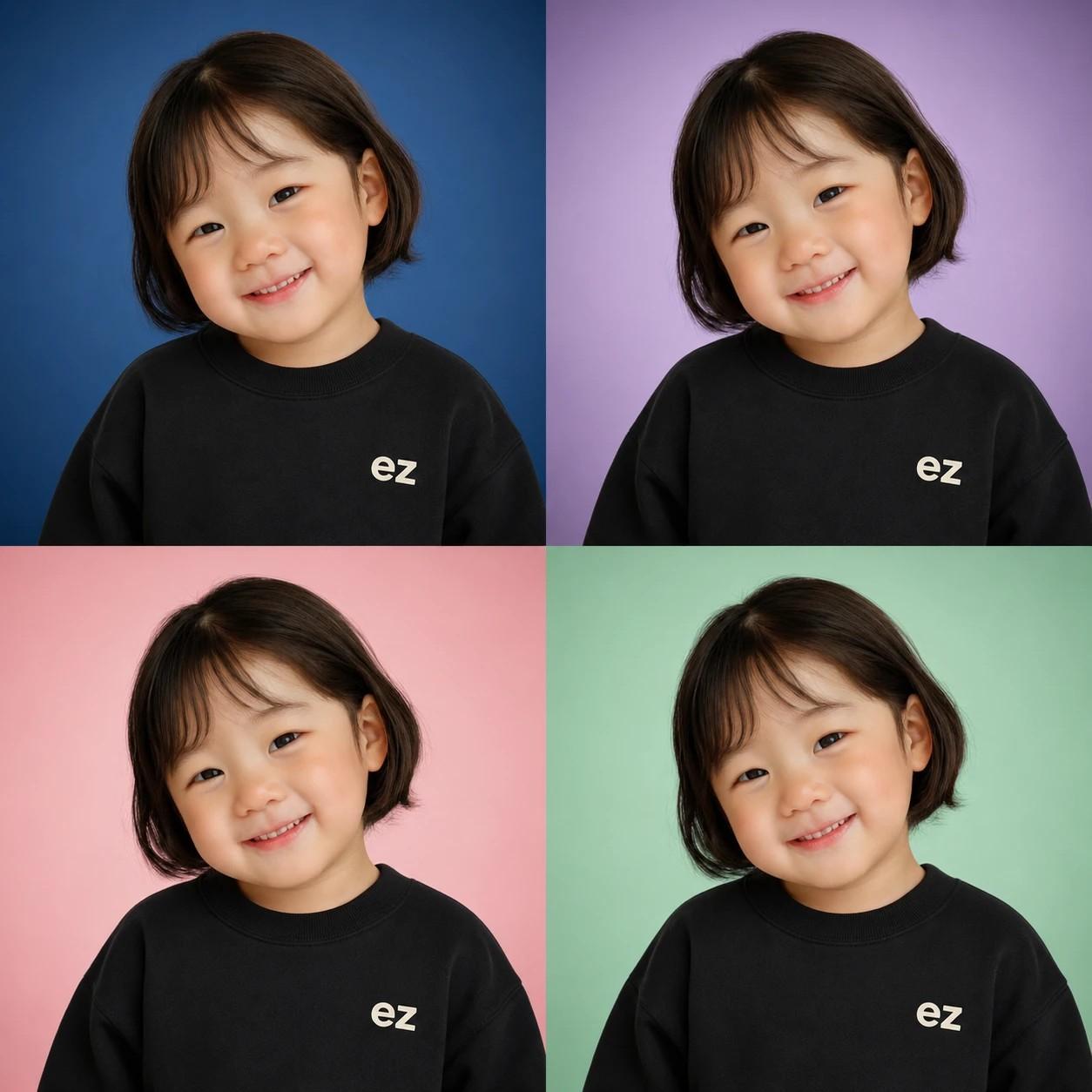
- A. 의상을 같게 두고 배경만 5가지(표준 화이트 + 블루/라벤더/핑크/민트)를 한 번씩 돌려서 만들면 비교하기 좋아요. 또는 '같은 결과를 배경 4색(블루/라벤더/핑크/민트) 2x2 그리드로 만들어주세요' 라고 후속 지시를 보내면 한 번에 컬러 4색 비교가 가능합니다.
- Q. 인쇄해서 졸업앨범에 쓰려는데 화질이 충분한가요?
- A. 엽서 크기 정도까지는 깔끔하게 인쇄됩니다. 졸업앨범처럼 크게 인쇄하실 거라면 인쇄소에서 화질 보정 옵션을 요청하시면 더 매끄럽게 나옵니다.
- Q. 옆모습이거나 마스크·안경 쓴 사진도 되나요?
- A. 결과물이 정면 증명사진 형식이라 정면을 보고 있는 사진이 가장 자연스럽게 나옵니다. 옆모습 사진도 AI가 정면으로 보정해주긴 하는데 얼굴 비율이 살짝 어색해질 수 있어요. 마스크·선글라스로 얼굴이 가려진 사진은 추천하지 않습니다 — AI가 가려진 부분을 추측해서 채우다 보면 원본과 다른 얼굴이 나올 수 있어요.
- Q. 갤러리에서 본 4컷 이미지처럼 한 번에 4가지 배경이 나오나요?
- A. 갤러리에 보이는 4컷 이미지는 이 카드의 컬러 배경 4안(블루/라벤더/핑크/민트)을 한눈에 보여드리는 미리보기입니다. 표준 화이트까지 합쳐 총 5가지 배경 옵션이 있고, 실제로는 선택한 옷·배경 조합대로 깔끔한 증명사진 1장씩 생성됩니다. 여러 배경을 비교하시려면 배경만 바꿔서 5번 만들어 비교해 보세요.
문제가 해결되셨나요?