
다꾸 생일 카드
추천 AI
우리 아기 맞춤 만들기
프롬프트가 자동 입력됩니다. 본인 아기 사진을 첨부해서 전송하세요.
프롬프트
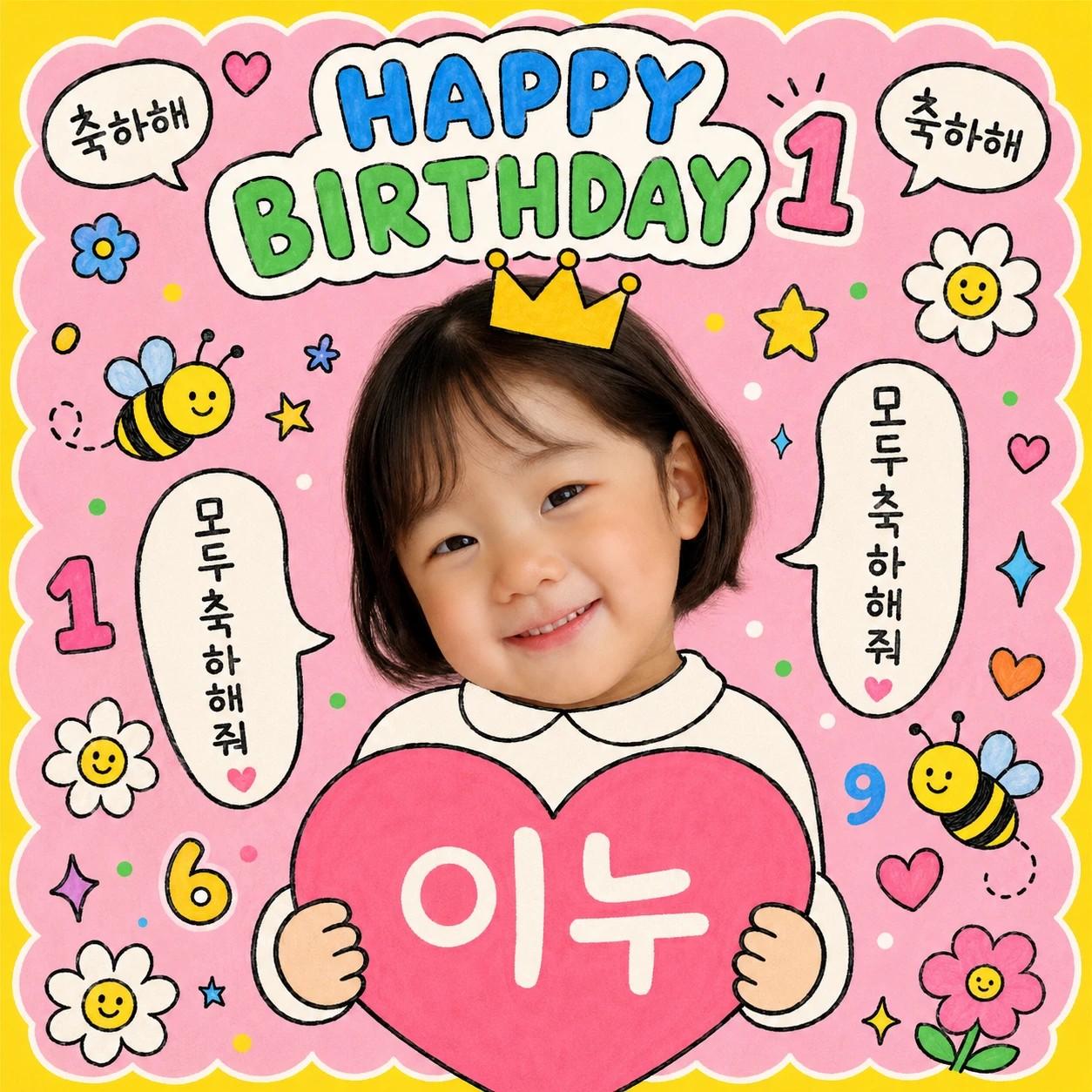
[Purpose] Convert the user's attached child photo into a doodle-style Korean kids birthday card with hand-drawn stickers, speech bubbles, and a crown. Cute scrapbook/stationery (다꾸) aesthetic for SNS sharing and birthday party use. [Scene] The child's face from the attached photo is the photographic centerpiece. Everything else around it is hand-drawn illustration in the same marker-pen style. Cutout placement: - The face/head cutout occupies about 28-32% of the canvas height, positioned in the upper-center (top of head around 18% from canvas top, chin around 50% from canvas top). - If the source photo shows natural shoulders, preserve them photographically as part of the cutout. - If the source shows only the face (close-up), draw a small handdrawn rounded shirt collar (clean white #ffffff, thick black marker outline, gender-neutral round-neck) directly below the chin to suggest a body. - The cartoon hands holding the heart appear directly below, connecting naturally. Composition (square 1:1): - Outer frame: solid {bg_outer_color} background with a {bg_inner_color} rounded scalloped inner frame filling ~92% of the canvas. - Top headline (above the head): white rounded sticker patches stacked, containing "HAPPY" in {headline_color_1} bubble-letter handdrawn font and "BIRTHDAY" in {headline_color_2} bubble-letter handdrawn font. A small handdrawn number sticker "{birthday_age}" sits next to the headline. - Crown: a small handdrawn crown/headpiece sitting on top of the head. {crown_style_detail}. - Left and right of the head: two small handdrawn speech-bubble stickers with vertical Korean text "모두 축하해줘" inside. - Top corners: small handdrawn speech bubbles with "축하해". - Bottom centerpiece: a large handdrawn pink heart held by two tiny handdrawn cartoon hands (visible at the bottom edge). Inside the heart: the text "{child_name}" in white handdrawn font. - Scattered stickers across the canvas: small handdrawn cartoon bees (yellow+black, smiling), daisies (white petals with yellow centers, smiley faces), small flowers, stars, sparkles, small confetti dots, small numbers ("{birthday_age}", "6", "9"), tiny hearts — all in the same handdrawn marker-pen style. [Style] Korean kids' doodle/sticker-book (다꾸) aesthetic. Hand-drawn cartoon outlines with thick black marker pen contours (about 3-4px), filled with bright flat colors. Slightly imperfect handdrawn lines for charm. Palette: {palette_description}. Fills: flat bright colors, no gradients, no shadows, no 3D effects. The face cutout is the only photographic element; everything else is illustrated. [Text] All Korean and English text in handdrawn bubble/marker font (cartoon hand-lettering, not standard sans-serif). - "HAPPY" in {headline_color_1}, "BIRTHDAY" in {headline_color_2}. - "{child_name}" inside the heart in white handdrawn. - "{birthday_age}" as small number sticker near the headline. - "모두 축하해줘" vertically in two speech bubbles (left and right of the head). - "축하해" in small bubbles at the top corners. [Aspect] 1:1 square (1024x1024), full bleed. [🚫 IMPORTANT] - Preserve the child's face from the original photo EXACTLY — facial features must remain identical - Korean text must be precise: "모두 축하해줘", "축하해", "{child_name}" - Cutout sizing follows the 28-32% canvas height rule - Only the face cutout is photographic — every other element is handdrawn cartoon style
자주 묻는 질문
- Q. 어떤 사진을 첨부해야 하나요?
- A. 아이 얼굴이 또렷이 보이는 정면 사진이면 됩니다. 얼굴 부분만 누끼로 따서 카드 중앙에 합성되니까 표정 잘 나온 일상 사진도 좋아요.
- Q. 이름이랑 나이 빼고 다른 텍스트로 바꿀 수 있나요?
- A. 네. 후속 지시로 '하트 안 글자를 ○○야 로 바꿔주세요' 또는 '왕관 옆 숫자를 7로 바꿔주세요' 라고 보내면 됩니다.
- Q. 글자가 깨져서 나와요
- A. AI 이미지 모델이 가끔 한국 손글씨를 어색하게 그릴 수 있어요. '하트 안 도이 글자를 정확히 다시 손글씨로 써주세요' 같이 텍스트 부분만 다시 그려달라고 보내면 깔끔해집니다.
- Q. 여러 컬러 팔레트로 비교해보고 싶어요
- A. 4가지 컬러 팔레트(핑크+옐로우 / 민트+라벤더 / 피치+크림 / 스카이+네이비)를 하나씩 골라 4번 만들면 어울리는 톤 비교가 쉬워요.
- Q. 인쇄해서 생일파티 초대장으로 쓸 수 있나요?
- A. 엽서 크기 정도까지는 깔끔하게 인쇄됩니다. A4처럼 크게 인쇄하실 거라면 인쇄소에서 화질 보정 옵션을 요청하시면 더 매끄럽게 나옵니다.
문제가 해결되셨나요?