
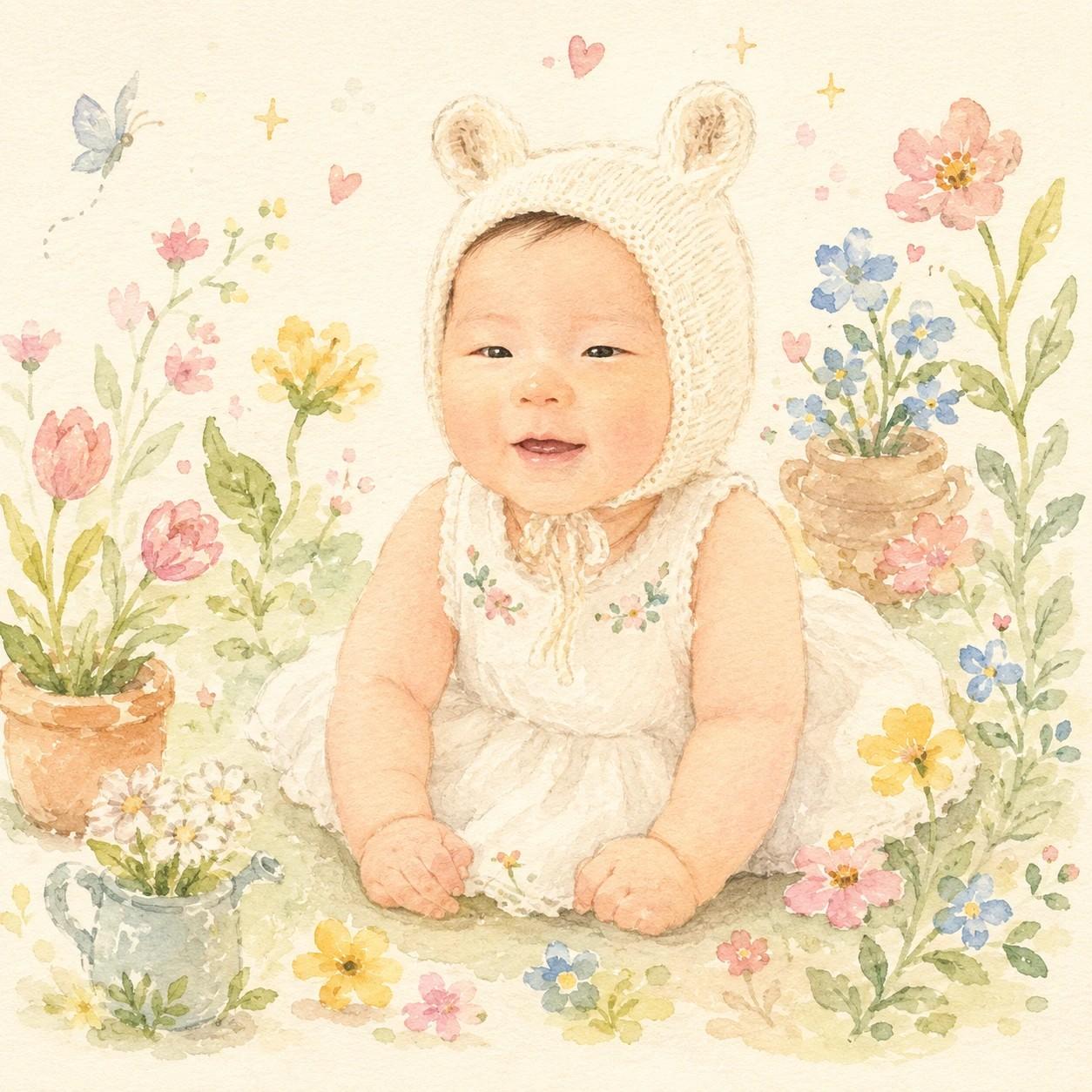
아기 나이브 아트 일러스트
추천 AI
우리 아기 맞춤 만들기
프롬프트가 자동 입력됩니다. 본인 아기 사진을 첨부해서 전송하세요.
프롬프트
[Input] - output_size: 1024x1024 (1:1 square) - reference: 1 baby photo (upper body or full body) [Purpose] Convert the user's attached baby photo into a naive art storybook illustration — soft watercolor + colored pencil style of a baby in a whimsical flower garden. The result should feel like a page from a Korean children's picture book, not a photograph. [Scene — image-to-image edit, preserve baby identity] Use the attached photo as the base baby. PRESERVE the baby's identity (face proportions, age, hair style, skin tone) but re-illustrate everything in soft naive art style. Pose direction: {pose_direction}. Re-imagine the baby in a hand-painted flower garden: - The baby wears a charming illustrated outfit — a simple white or pastel dress/onesie with tiny floral embroidery, optionally a soft knit bonnet (small animal ears, floral pattern, or plain knit) - Surrounded by hand-painted flowers (tulips, daisies, small wildflowers), green leaves, a small ceramic flower pot or watering can, scattered tiny hearts and stars, a small butterfly or bee - Background: warm cream paper texture, soft and uncluttered, plenty of breathing room [Color Palette] {palette_description} [Style] - Naive art / Korean children's storybook illustration aesthetic - Soft watercolor washes + light colored pencil outline texture - Gentle, painterly fills with slight imperfect childlike charm - Hand-painted feel, soft outlines (not crisp digital lines) - Low-saturation pastel only — no neon, no harsh contrast [Composition] - 1:1 square - Baby centered, occupying 55-65% of vertical space - Decorative motifs scattered around without crowding the subject - Plenty of cream background visible between motifs [CRITICAL — Naive art, not photography] - This is NOT a photograph — fully illustrated, painterly style - Preserve the baby's face proportions, age, and hair, but render as illustration (no realistic skin texture) - Soft pastel only, low saturation [🚫 PROHIBITED] - 3D, anime, manga, vector-flat style (must feel hand-painted) - Real brand logos, celebrity references - Text inside the artwork - Neon, saturated, or harsh colors - Crisp digital lines (use soft watercolor outlines)
자주 묻는 질문
- Q. 어떤 사진이 가장 잘 변환되나요?
- A. 상반신 또는 전신이 보이는 사진이 좋아요. 앉은 자세, 뒷모습, 옆모습 모두 일러스트 매력으로 살아납니다. 얼굴만 잘린 사진은 동화책 무드가 덜 살아요.
- Q. 옷이나 배경이 사진과 완전히 달라요.
- A. 일러스트 카드라 의상과 배경은 동화책 스타일로 새로 그려져요. 얼굴 비율과 머리 스타일, 자세는 보존됩니다. 옷을 사진과 비슷하게 하고 싶으면 챗GPT에 '옷을 사진의 노란 티셔츠 비슷하게 그려주세요'라고 후속 지시해 보세요.
- Q. 색 팔레트는 어떻게 다른가요?
- A. 봄 파스텔은 가장 자연스러운 동화책 톤, 따뜻한 가을은 머스타드·테라코타 계열, 모노 핑크는 연분홍 단색, 미니멀 크림은 크림 배경에 액센트 한 가지만 들어가는 차분한 톤이에요.
- Q. 사진 속 우리 아기 얼굴이 안 닮게 나와요.
- A. 일러스트는 사진처럼 정확한 닮음이 아니라 비율 보존 위주예요. 결과 받은 뒤 '얼굴 형태와 눈매를 첨부 사진에 더 가깝게 다시 그려주세요'라고 챗GPT에 보내시면 닮음이 살아납니다.
- Q. 인쇄해서 액자에 넣고 싶어요.
- A. 엽서 크기 정도까지는 깔끔하게 인쇄됩니다. A4처럼 크게 인쇄하실 거라면 인쇄소에서 화질 보정 옵션을 요청하시면 더 매끄럽게 나옵니다.
문제가 해결되셨나요?