
Paper Craft Baby Photo — ChatGPT & Gemini Paper-Craft Style Transfer Prompt
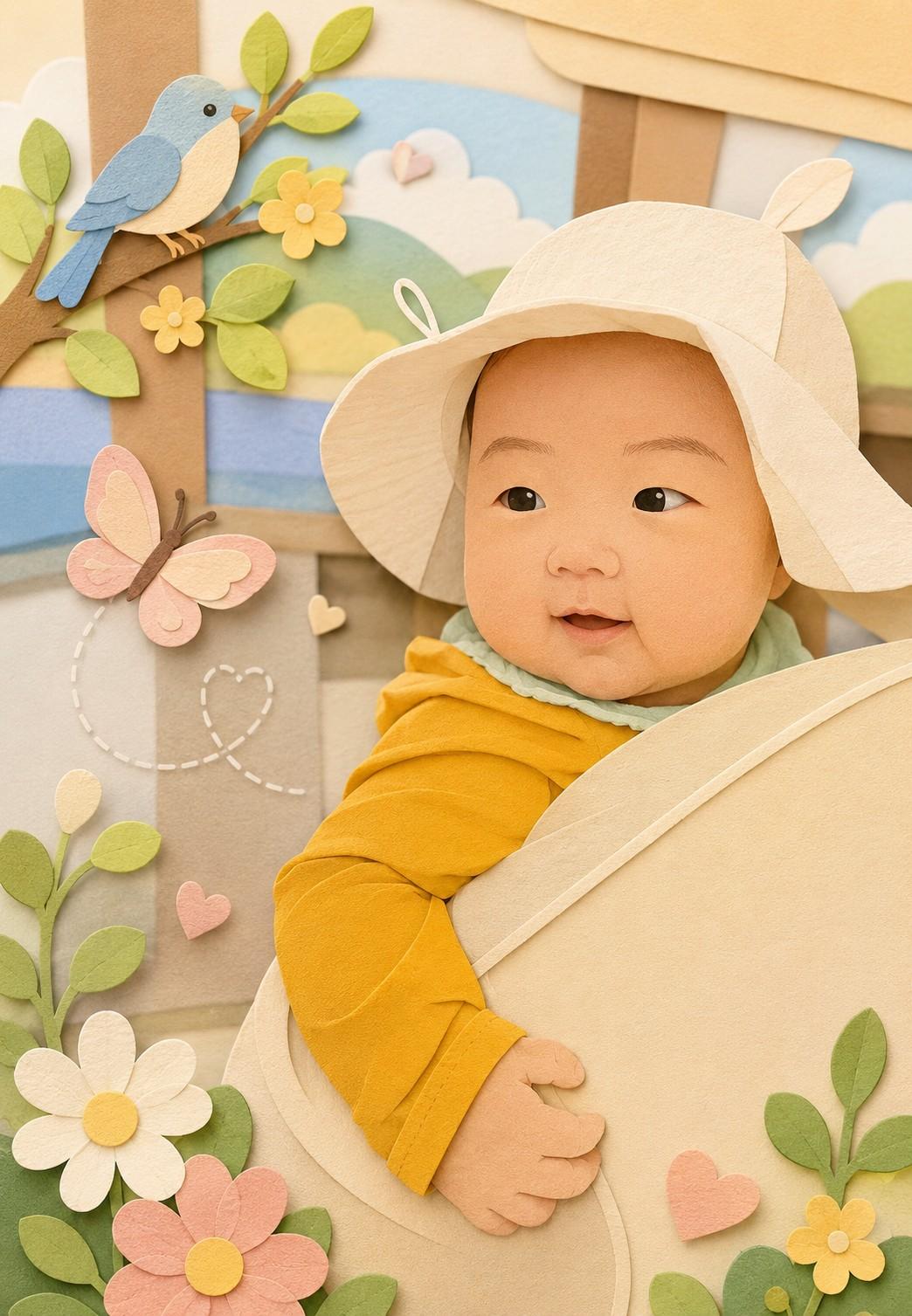
Best with
Prompt
Recreate this image in a paper craft style, simplifying the details to make them suitable for paper craft artwork. Arrange the overall composition to feel visually pleasing, soft, and cute. You may add charming decorative elements such as birds, butterflies, flowers, etc., to enhance the adorable atmosphere while still matching the original image.
Who this is for
Great for parents who want to transform their child's photo into something timeless that isn't tied to a specific season or event. Perfect for those who find hand-drawn or cartoon styles a bit too playful but find raw photos a bit too plain — paper craft sits in the middle, warm and storybook-like. As a season-free style prompt, it works year-round for picture frames, social profile pictures, and first-birthday party boards.
What you need
A front-facing or three-quarter portrait of your child, plus ChatGPT (GPT-4o or higher) or Gemini (2.5 Pro Image recommended) — whichever you prefer. The two outputs differ slightly: ChatGPT preserves photographic detail more, while Gemini leans flatter and more illustrative. If you're unsure which suits you, run the same prompt through both and compare.
How to use
- Open a new ChatGPT or Gemini conversation and attach your child's photo.
- Copy the full prompt below (one English sentence) and paste it together with the photo.
- If the decorative birds/butterflies/flowers feel too busy, follow up with "Remove the butterflies and reduce the flowers" to clean it up.
- If the child's face drifts too far from the original, add "Keep the child's face features closer to the original photo" — face fidelity improves noticeably.
- Once happy, download and use it for framed prints, baby book covers, first-birthday boards, or profile pictures.
Tips for better results
- Photos with simple backgrounds produce cleaner paper-craft results. For busy backgrounds, add "Simplify the background to a single pastel color."
- Run both ChatGPT and Gemini in parallel — ChatGPT keeps depth and shadow, Gemini leans flat-illustration. The tone difference is obvious side-by-side.
- For first-birthday or 100-day frame boards, add "Make the composition slightly more vertical and centered" to match standard frame ratios.
- If you don't want the decorative elements at all, "Remove all decorative elements, focus only on the child" produces a clean, portrait-focused output.
Variation ideas
- First-birthday / 100-day framed portrait (no decorations, emphasized vertical composition).
- Baby book cover illustration (place the child toward the lower half to leave space for the title).
- KakaoTalk / Instagram profile picture (add a 1:1 square crop instruction).
- Digital first-birthday or wedding invitation background.
Frequently asked questions
- Q. Which is better — ChatGPT or Gemini?
- A. Neither is universally better; the tone differs. ChatGPT preserves shadow and depth for a more dimensional paper-craft feel; Gemini produces flatter, colorful storybook illustrations. Easiest path: run both with the same prompt and pick the one you like.
- Q. The child's face looks too different from the original.
- A. Style-transfer prompts often simplify facial detail and weaken likeness. Add "Keep the child's face features (eyes, nose, mouth) close to the original photo" and use a front-facing, high-resolution photo with a simple background. ChatGPT is slightly more reliable than Gemini for face preservation.
- Q. The birds, butterflies, and flowers look overdone or awkward.
- A. Drop the "decorative elements" line from the prompt, or follow up with something specific like "Remove the butterflies and birds, keep only a few flowers." The cleaner you specify what to keep, the cleaner the tone.
- Q. Will the result hold up in print and frames?
- A. ChatGPT outputs around 1024×1536; Gemini Image is similar or larger. Both are fine for 4×6 / 5×7 inch frames. For A4 or larger prints, run it through an upscaler (Topaz, Magnific, Real-ESRGAN) first.
- Q. Can I make a series of styles from the same photo?
- A. Yes — run the same photo through the other style prompts in the gallery (crayon, handwriting, Ghibli, Disney, etc.) and you'll get a coherent series of one child. Great for framed sets, photo albums, or themed profile pictures.
Did we solve your problem?